

Secure video consultation with appointment booking.
Postkey connects your team and your clients through one link: the client picks a time, waits in the waiting room and is admitted with a code. Then you talk in an end-to-end encrypted video call, share documents and show your screen. The client needs no account and no app.
- End-to-end encrypted
- Media server in Germany
- Only a link for the client
- Browser, phone and Android


How a video consultation with Postkey works


- 1
Create the appointment
Your team sets a time, lets the client choose from your opening hours, or opens a time window.
- 2
The client gets a link
You send it the way you usually do, or show it as a QR code. The client picks or moves the time himself, in German or English.
- 3
Admitted with a code
In the waiting room the client sees a six-digit code. He gets in only after you admit him with the same code.
- 4
Video call, chat, screen
Talk by video, send documents in the chat and show your screen, all end-to-end encrypted.
Every appointment of the day at a glance
The timeline shows every client of the day with the state of the appointment: planned, ready, running, finished or expired. Appointments are moved by dragging, and the table next to it shows the time and the links of every client.
- Timeline with a now line and colours per state
- History of finished, moved and cancelled appointments
- Links and QR code for the client's phone

Three ways to find a time
You set the time yourself, the client chooses a free time from your opening hours, or he connects within a time window whenever it suits him and waits in the queue with his place and the expected waiting time.
- "We set the time", optionally movable by the client
- "The client chooses" from your opening hours
- "Time window" with a queue, you accept the next client


Waiting room and admission with a code
Each client gets a personal link. In the waiting room he sees a six-digit code, and you admit him only when the code on both screens matches. Messages, photos and files in the chat are end-to-end encrypted.
- A personal link for each guest
- Files up to 25 MB in the chat
- Reloading the page does not end the chat
Encrypted video call
The video call runs only through Postkey's own media server and never directly between the devices. Every frame is encrypted (SFrame, AES-256-GCM) with keys that are exchanged over the encrypted chat.
- Up to six people, up to four cameras
- Only the host starts the call, a guest can ask for it
- Post-quantum hybrid key exchange for live sessions


Show your screen
Show a tab, a window or your whole screen; on Android the phone screen. Viewers watch in the browser and can point at a spot, but they never control your screen. Sharing stays visibly marked the whole time, with pause and stop.
- Up to three viewers
- Viewers point, they do not control

Session history, encrypted
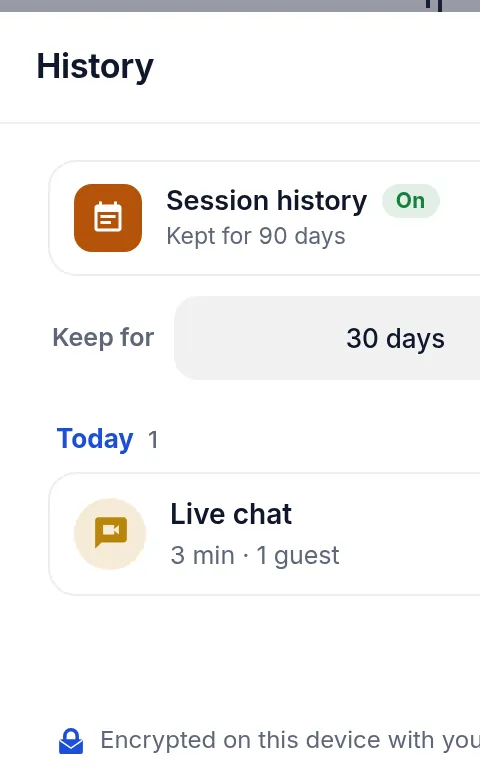
Postkey records when a live chat or a screen session ran, how long it took and who was admitted, encrypted with your account key. Messages, files and screens are not part of it, and guests are told before they join.
- Kept for 30 days, 90 days or a year, or switched off
- Readable only with your account key

Made for advice that needs trust
Wherever clients discuss personal matters, contracts or documents, the conversation should be encrypted and easy to join.
Security that starts on the device
Companies with an admitted account create appointment links from their own system through the Postkey API. The appointments page shown here works on exactly this interface. We set it up with you.
How Postkey encryptsChat, files, the video call and the shared screen are encrypted on the devices of the participants.
Video runs through Postkey's media server on our server in Germany, never directly between the devices.
Live chat, screen sharing and the key exchange of calls use a hybrid of ML-KEM-1024 and P-384.
Every guest needs his own link and is admitted only with the matching six-digit code.
Frequently asked questions
Does the client need an account or an app?
No. The client opens his personal link in the browser, on the computer or on the phone. Your team works with a Postkey account.
How many people can join a video call?
Up to six people, with up to four cameras at the same time. A live chat can have up to five guests and lasts up to four hours.
Is the video call encrypted?
Yes. Every video frame is encrypted with SFrame (AES-256-GCM); the keys are exchanged over the end-to-end encrypted chat. The media server forwards the encrypted frames.
Can the client choose the time himself?
Yes. With "The client chooses" he picks a free time from your opening hours and can change or cancel it up to 24 hours before. With a time window he connects when it suits him and waits in the queue.
In which languages are the client pages?
The pages for the client, for choosing the time and for the live chat, are available in German and English.
How do we get started?
Write to us. The appointment function is available for admitted accounts; we set up the connection to your system with you.
Bring your consultations to Postkey.
Tell us how your team advises clients today. We show you Postkey with your own processes.